CCTV camera overlooking a food-processing and packaging factory
    Plant-floor video intelligence

    AI video analytics
    for the plant floor.

    Use compatible CCTV to flag configured safety events, count people and goods, check vehicles, and route timestamped evidence to the right team.

    • Compatible RTSP / ONVIF feeds
    • Local processing
    • Evidence stays on site
    Safety checks

    Configured events for supervisor review.

    PPE, restricted zones, after-hours access, and fire or smoke scoped to the areas your team needs to monitor.

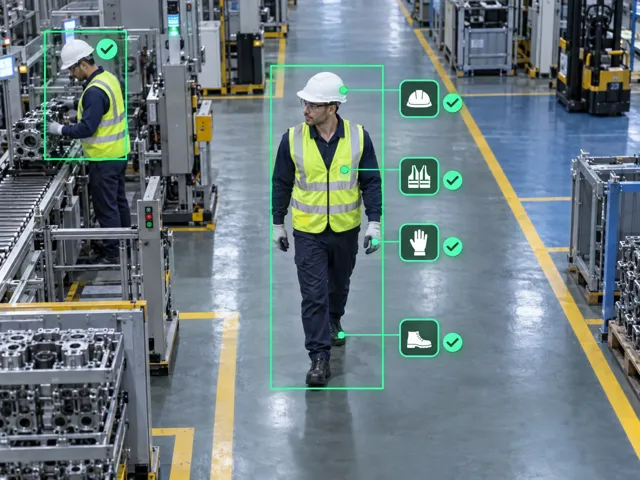
    Illustrative worker wearing a helmet and reflective vest on a factory floor

    PPE present

    Check visible helmets and reflective vests in configured work areas.

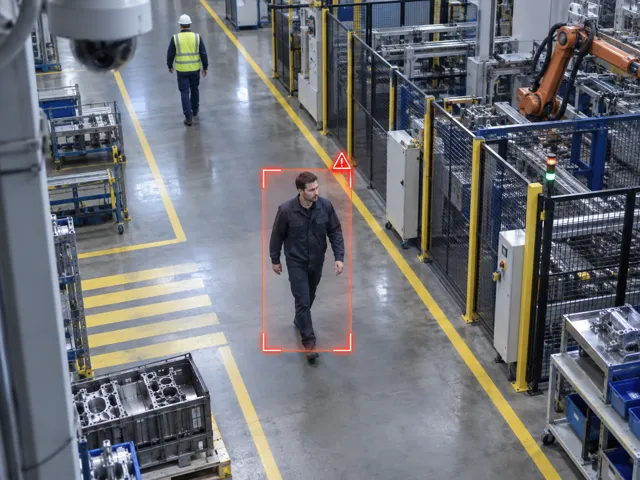
    Illustrative worker without required PPE, highlighted in a factory aislePPE alert

    Missing PPE

    Flag required equipment that is not visible for supervisor review.
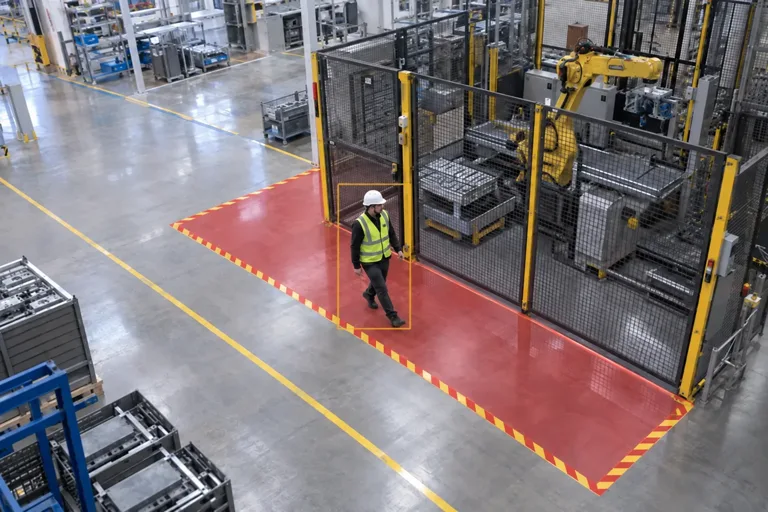
    Illustrative worker inside the marked red restricted zone beside guarded machineryZone warning

    Hazardous-area approach

    Notify supervisors when someone crosses a configured warning boundary near restricted machinery.
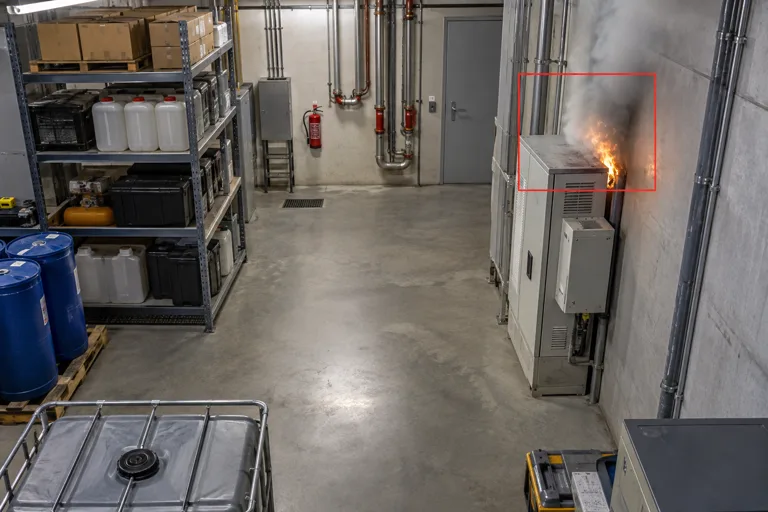
    Illustrative early fire and smoke event in an industrial utility bayFire / smoke alert

    Fire and smoke

    Flag visible fire or smoke, supplementing the plant's existing safety systems.
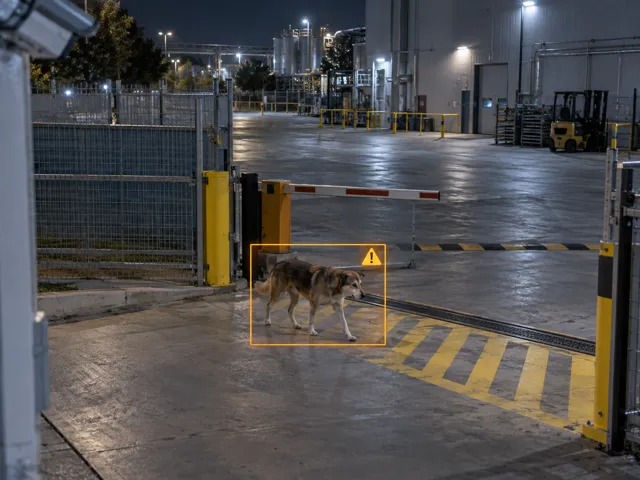
    Illustrative dog crossing an industrial gate boundaryBoundary event

    Animal entry

    Detect animals crossing selected gate or yard boundaries.
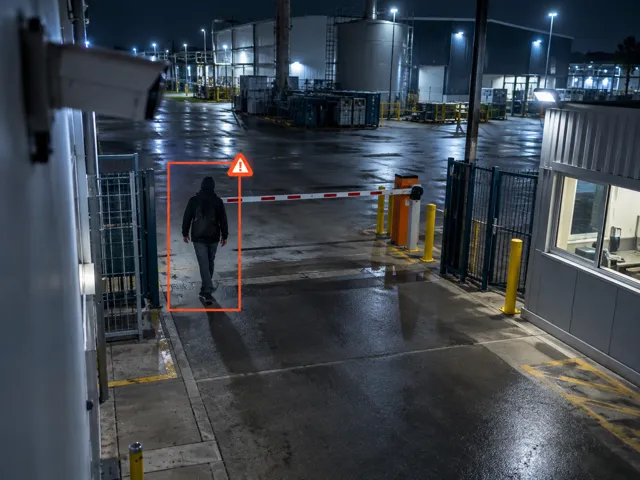
    Illustrative person entering a restricted plant area after hoursEntry alert

    After-hours entry

    Highlight people entering configured areas outside permitted hours.

    Warning boundaries and operating hours are configured for each site.

    People and goods

    Count movement at the floor and dock.

    Track people by zone and record goods crossing an agreed loading or unloading boundary.
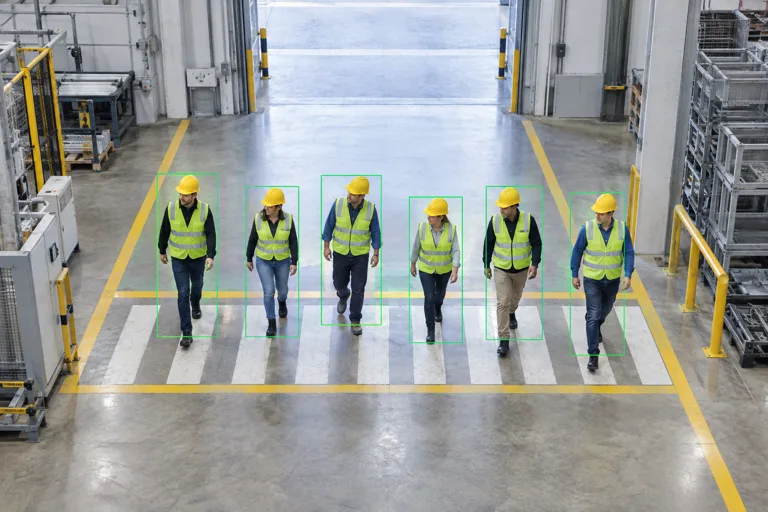
    Illustrative six workers walking through a marked pedestrian counting zoneZone occupancy

    Headcount and occupancy

    Count people by zone, track entry/exit, and flag occupancy thresholds.
    Sample headcount
    6people in zone
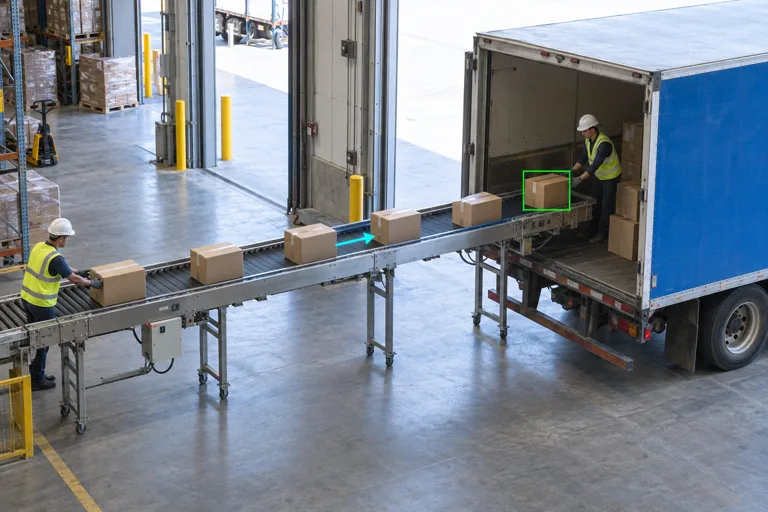
    Illustrative cartons moving from the warehouse into a truck on the rightInto the truck

    Goods loading

    Count configured goods units crossing the loading boundary into a truck.
    Sample transfer total
    24cartons loaded
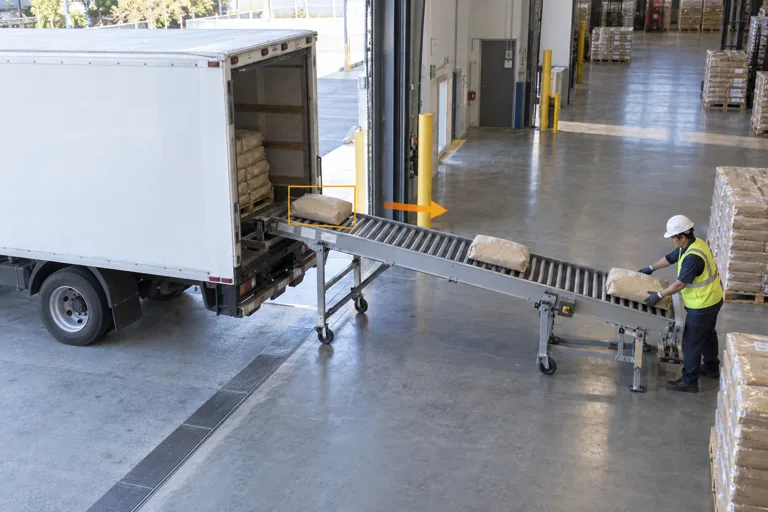
    Illustrative bags moving out of a truck on the left into a receiving areaOut of the truck

    Goods unloading

    Count goods leaving a truck, with unloading totals recorded separately.

    Sample transfer total
    18bags unloaded

    Headcount measures occupancy, not employee identity. Counting units and camera views are validated on site.
    Vehicle checks

    Compare readable plates with the approved list.

    Unreadable plates go to review
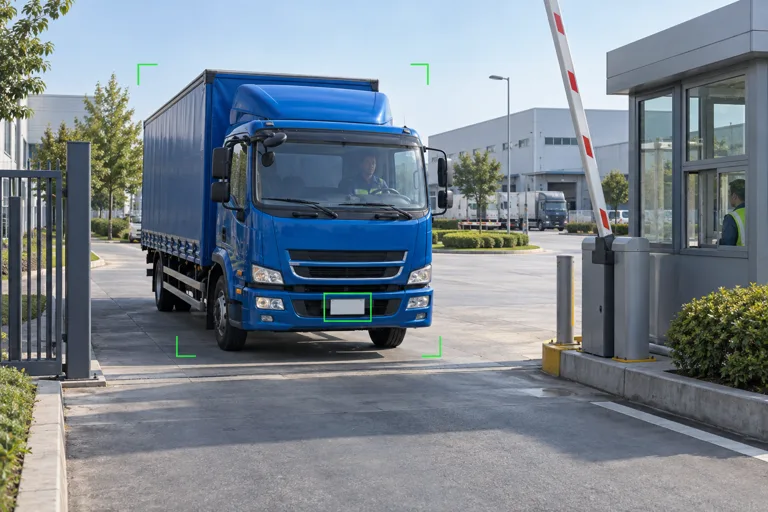
    Illustrative blue delivery truck at a raised gate barrier with a green plate detection boxRegistry match

    Registered vehicle

    Match a readable number plate against the plant's approved vehicle list.
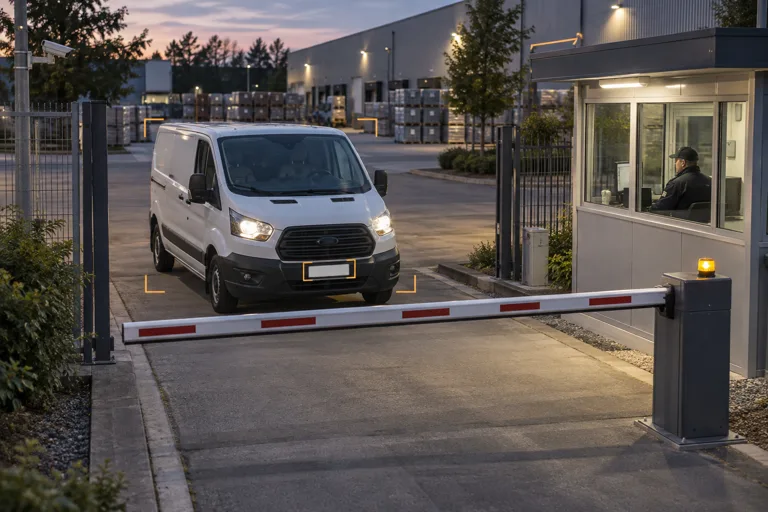
    Illustrative white cargo van waiting at a closed barrier for a registration reviewNo registry match

    Unregistered vehicle

    Flag a readable plate with no approved-list match for security review.

    An unreadable plate is marked for review, not treated as an unregistered vehicle.

    An event workflow

    Route evidence to the right team.

    Safety alerts, count thresholds, loading and unloading updates, and unmatched vehicles follow the response rules agreed for your plant.

    1. Detect

      A configured event or threshold is reached.

    2. Capture evidence

      Attach the camera, time, and event details.

    3. Notify

      Route the update to the configured recipients.

    4. Review and close

      Assign an owner and record the response.
    NeoVision notificationIllustrative event / sample data
    Security alert

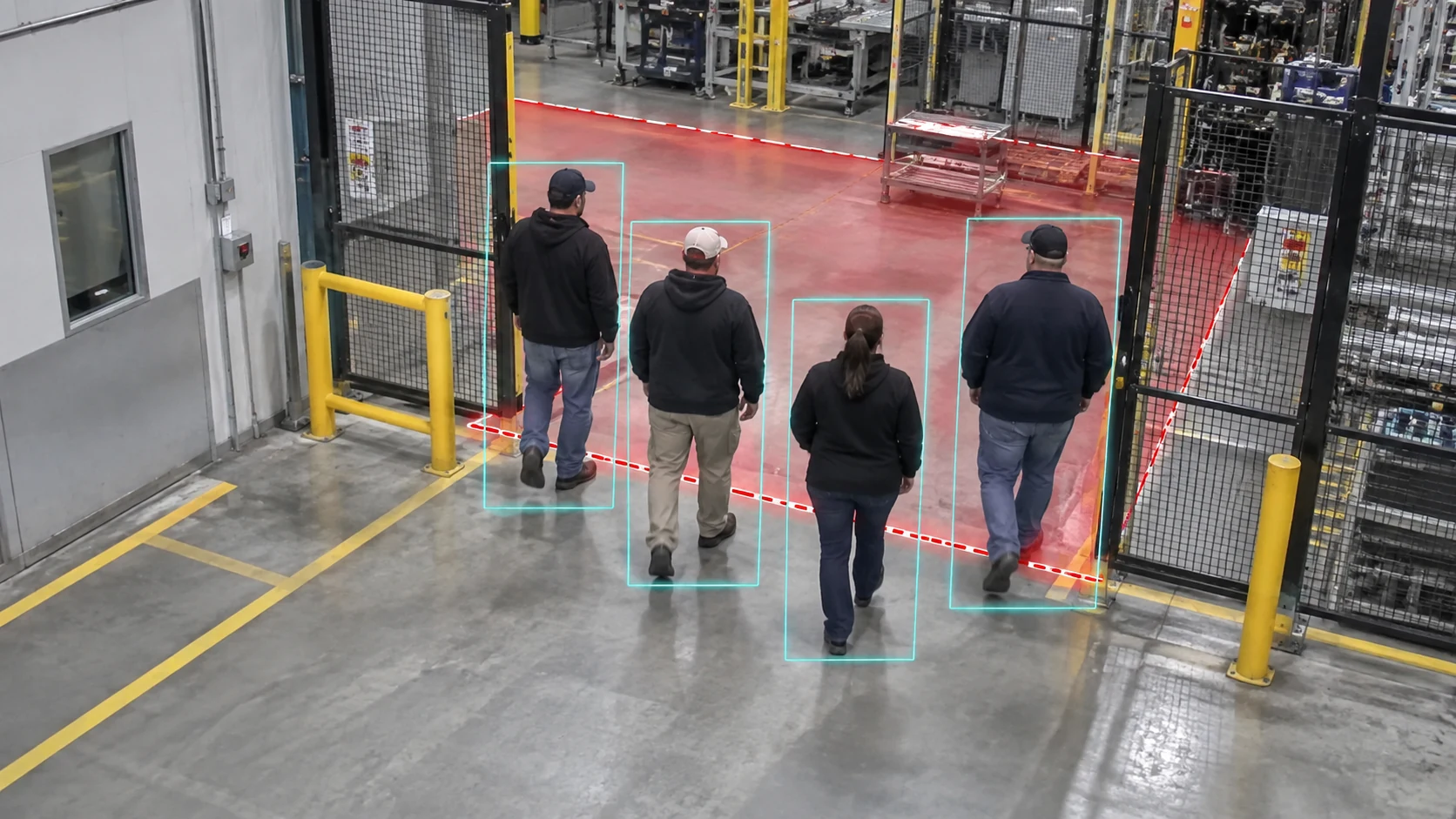
    Unidentified people entered restricted area

    Illustrative evidence photo of four unidentified people entering a restricted plant area
    Area / camera
    Plant Entry Gate 03 / Cam 04
    Event time
    14:32:08 / 25 Sep 2026
    People detected
    4 unidentified people
    Evidence
    Photo + timestamped event record
    Recipient
    Security supervisor
    Review status
    Awaiting review
    Dashboard + email notification

    Configured around your response.

    • Plant dashboardEvents, evidence, ownership, and closure.
    • Email via SMTPUpdates to the selected recipients.
    • Customer-specific channelsOther integrations and connectivity agreed during scoping.

    Choose recipients, thresholds, and escalation rules. Counts can trigger configured updates, not a notification for every item.

    Local deployment

    On-site processing, clear responsibilities.

    Compute sizing follows stream count, resolution, concurrent scenarios, and evidence-retention requirements.

    NeoBram provides

    • Scenario scoping and validated specifications
    • Software setup, calibration, and acceptance testing
    • Training and agreed support

    Your plant provides

    • Camera streams and network access
    • Customer-owned compute and local storage
    • Site rules, validation inputs, and response owners

    Deployment sequence

    1. Scope

      Select scenarios.

    2. Connect

      Prepare streams and compute.

    3. Validate

      Test agreed conditions.

    4. Hand over

      Train your team.

    Planning a site assessment

    Questions to settle before a pilot.

    Can we use our cameras?

    Compatible RTSP / ONVIF feeds are assessed for coverage, lighting, and image quality.

    What can we count?

    Visible cartons, bags, crates, or pallets crossing agreed boundaries. Validate each unit and camera view on site.

    Will it work offline?

    Local detection and evidence stay on site. External notification channels require their agreed connectivity.

    How do we manage false alerts?

    Test representative scenes, tune boundaries and thresholds, and review evidence before acting.

    How is the project priced?

    A tailored proposal covers cameras, scenarios, compute requirements, integrations, and support.

    Talk through your use case

    Bring a camera view.
    Leave with a clear next step.

    Discuss your streams, scenarios, and on-site requirements with the NeoBram team.

    Book a demo