Key takeaways
- The vector database market is projected to grow at 22.3% CAGR, reaching over $8.9 billion by 2030, with Gartner predicting 30%+ enterprise adoption by 2026.
- Vector databases search by meaning, not keywords, enabling RAG systems that ground AI responses in your private enterprise data and dramatically reduce hallucinations.
- In Q1 2026, enterprise intent to adopt hybrid retrieval (vector + keyword search) tripled in a single quarter as teams shifted from measuring to fixing retrieval quality.
- Milvus dominates for 100M+ vector deployments while pgvector is the top choice for teams under 10M vectors who want to avoid adding new infrastructure.
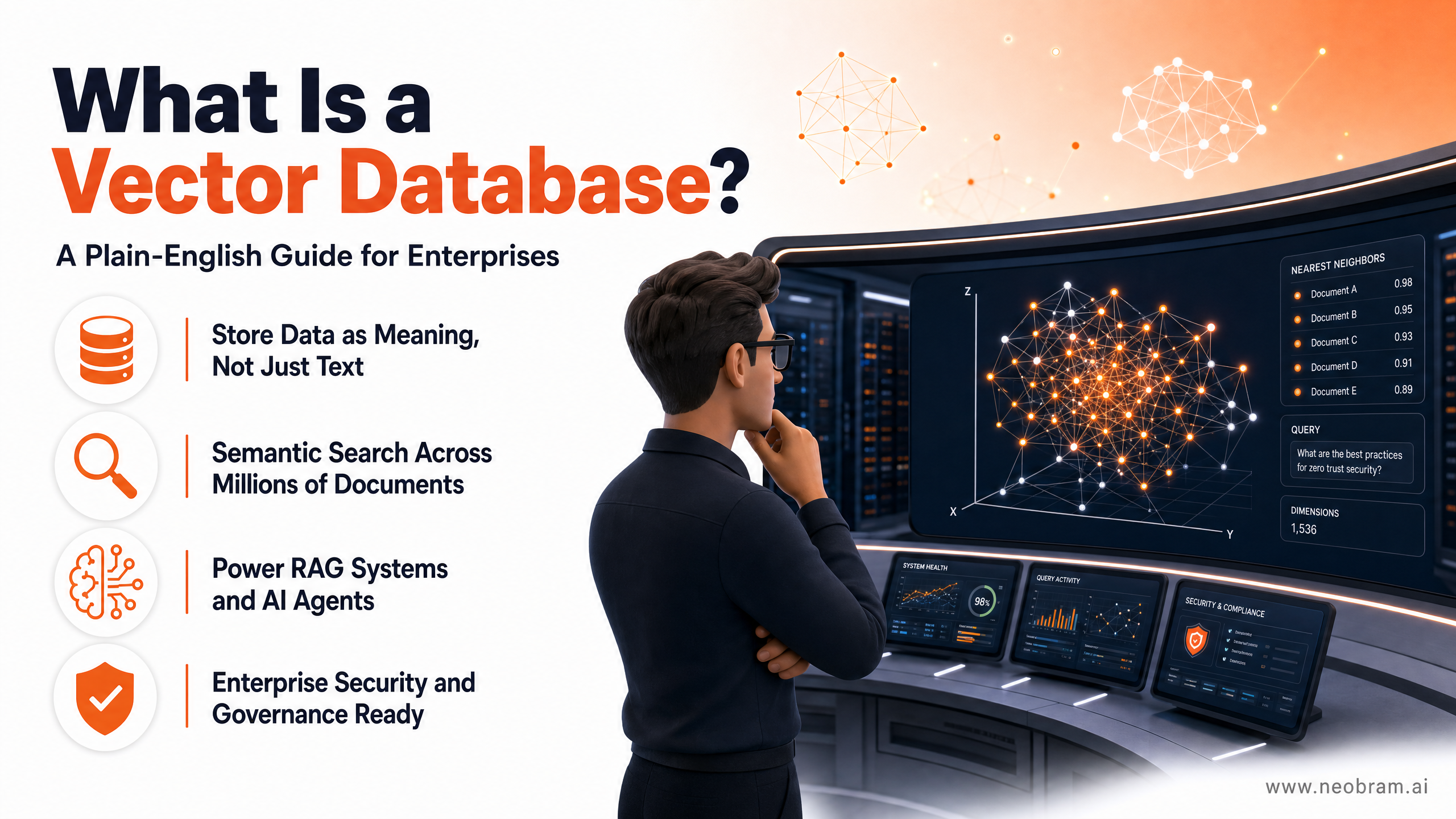
What Is a Vector Database? A Plain-English Guide for Enterprises
If you've been following enterprise AI over the past two years, you've almost certainly heard the term "vector database." It shows up in every RAG tutorial, every AI agent architecture diagram, and every pitch from AI vendors. Yet most explanations either go too deep into the math or stay too shallow to be useful.
This guide cuts through both extremes. By the end, you'll know exactly what a vector database is, why it matters for enterprise AI, how it differs from the databases you already use, and which use cases actually justify the investment.
The global vector database market was valued at approximately $2.55 billion in 2025 and is projected to grow at a compound annual growth rate of 22.3% through 2034. Gartner predicts that by 2026, more than 30% of enterprises will have adopted vector databases to enrich their AI systems with proprietary business data.
The Problem Vector Databases Solve
Before explaining what a vector database is, it helps to understand the problem it solves.
Traditional databases, whether relational (SQL) or document-based (NoSQL), are built for exact matches. You query them with a specific value, and they return rows where that value appears. This works brilliantly for structured business data: customer records, order histories, financial transactions.
But most enterprise data isn't structured. It's emails, contracts, maintenance logs, product documentation, call transcripts, technical drawings, and medical records. This unstructured data makes up an estimated 80% of all enterprise information, and it's growing at 30 to 60% per year according to IBM.
Traditional databases can't search this data by meaning. If a customer support agent types "my device keeps shutting down unexpectedly," a keyword search might miss the relevant article titled "Unexpected Power Cycling: Troubleshooting Guide" because the words don't match precisely. The agent gets no result. The customer stays frustrated.
Vector databases solve this by searching for meaning, not just text.
What Is a Vector Database?
A vector database stores data as numerical representations called embeddings. An embedding is a list of numbers (a vector) that captures the semantic meaning of a piece of content, whether that content is a sentence, a paragraph, an image, or an audio clip.
Here's how it works in practice:
- You feed your data (documents, images, product descriptions) through an embedding model, such as OpenAI's text-embedding-3-large or an open-source equivalent.
- The model converts each piece of content into a vector, a list of hundreds or thousands of numbers.
- Those vectors are stored in the vector database, indexed for fast retrieval.
- When a user submits a query, that query is also converted into a vector.
- The database finds the stored vectors that are mathematically closest to the query vector and returns them as results.
The key insight: items that are semantically similar end up close together in vector space. "Car," "automobile," and "vehicle" all cluster near each other. "Quarterly earnings report" and "financial results summary" sit close together. The database finds relevant content even when the exact words don't match.
How Indexing Makes It Fast
Searching through millions of vectors one by one would be too slow for production use. Vector databases solve this with specialised indexing algorithms, most commonly HNSW (Hierarchical Navigable Small World) and IVF (Inverted File Index). These algorithms organise vectors into graph structures or clusters so the database can find approximate nearest neighbours in milliseconds, even across billions of data points.
This is called ANN search (Approximate Nearest Neighbour), and it's what makes vector databases practical at enterprise scale.
Vector Databases vs. Traditional Databases
Understanding the difference between these two types of databases helps you decide when to use each, and when to use both together.
| Feature | Traditional Database | Vector Database |
|---|---|---|
| Data type | Structured (rows, columns, JSON) | Unstructured (text, images, audio) |
| Query method | Exact match, SQL filters | Semantic similarity search |
| Search basis | Keywords, values, IDs | Meaning, context, intent |
| Scaling model | Vertical or horizontal (rows) | Horizontal (vectors + ANN index) |
| Best for | Transactions, records, reporting | AI retrieval, recommendations, search |
| Examples | PostgreSQL, MySQL, MongoDB | Pinecone, Weaviate, Milvus, Qdrant |
The important point here is that vector databases don't replace your existing databases. They sit alongside them. Your ERP still runs on a relational database. Your CRM still uses structured records. The vector database handles the AI retrieval layer on top of your existing data.
In a Q1 2026 enterprise survey, intent to adopt hybrid retrieval (combining vector search with keyword search and metadata filtering) tripled in a single quarter. Enterprises are moving from measuring retrieval quality to actively fixing it, and hybrid search is where the budget is going.
The Six Core Enterprise Use Cases
Vector databases aren't a solution looking for a problem. They enable a specific set of high-value use cases that traditional databases simply can't support.
1. Retrieval-Augmented Generation (RAG)
RAG is the primary driver of enterprise vector database adoption today. The concept is straightforward: instead of fine-tuning an LLM on your private data (which is expensive, slow, and risky), you store your documents in a vector database and retrieve relevant context at query time.
When an employee asks your internal AI assistant "What's our policy on supplier payment terms?" the system:
- Converts the question into a vector.
- Searches the vector database for the most relevant policy documents.
- Sends those documents plus the question to the LLM.
- The LLM generates an answer grounded in your actual policies.
The result is an AI that knows your business, not just the internet. Hallucinations drop significantly because the model is working from retrieved facts, not generating from memory.
2. Enterprise Semantic Search
Internal search is broken in most large organisations. Employees waste hours hunting for documents, procedures, and expertise. A vector-powered search engine understands natural language queries and returns results based on meaning.
This applies to:
- Legal document discovery (find all contracts referencing force majeure clauses)
- Engineering knowledge bases (find troubleshooting guides relevant to this error code)
- HR policy search (find all policies related to remote work expenses)
- Compliance documentation (find all procedures covering ISO 9001 audit requirements)
3. AI Agent Memory
This is the fastest-growing use case in 2026. Agentic AI systems need two things from their data layer: a knowledge layer (documents and facts to reason over) and a memory layer (what they remember across sessions and tasks).
Vector databases handle both. Agent memory is built by embedding facts and storing them indexed by user, session, and agent ID. When relevant context is needed, the agent queries the vector database by similarity and retrieves exactly what it needs.
As VentureBeat noted in early 2026, agents make far more data requests than humans do, which means getting retrieval right matters more for agentic systems than it ever did for standard RAG.
4. Recommendation Systems
Vector databases power highly personalised recommendation engines without requiring complex rules. User behaviour (clicks, purchases, time spent) and item attributes (product descriptions, content tags) are both represented as vectors. Finding "items like this" becomes a nearest-neighbour search.
This approach scales to millions of items and users while remaining fast enough for real-time recommendations.
5. Anomaly and Fraud Detection
Because vector databases measure distance between data points, they're effective at spotting outliers. A financial transaction that sits far from the cluster of normal transactions in vector space is a candidate for fraud review. A network login pattern that doesn't match a user's historical behaviour triggers an alert.
The advantage over rule-based systems: the model learns what "normal" looks like from the data itself, and the detection evolves as patterns change.
6. Multimodal Search
Vectors aren't limited to text. Images, audio clips, and video frames can all be converted into embeddings. This enables:
- Image search by description ("find all photos of the assembly line from Q3")
- Audio similarity matching (identify similar customer call recordings)
- Cross-modal search (find product images that match a text description)
For industries like manufacturing, pharma, and oil and gas, where visual inspection and documentation are critical, multimodal vector search opens up significant efficiency gains.
The Leading Vector Database Options
The market has matured considerably. Here are the main options enterprises are evaluating in 2026:
| Database | Best For | Deployment | Key Strength |
|---|---|---|---|
| Pinecone | Managed cloud, fast start | Cloud-only | Simplest setup, strong performance |
| Weaviate | Hybrid search, complex schemas | Cloud + self-hosted | Best hybrid retrieval out of the box |
| Milvus | Massive scale (billions of vectors) | Self-hosted + cloud | Distributed architecture, open-source |
| Qdrant | Performance-sensitive workloads | Cloud + self-hosted | Rust-based, very fast, good filtering |
| pgvector | Teams already on PostgreSQL | Self-hosted | No new infrastructure, SQL-native |
| Chroma | Prototyping and development | Local + cloud | Easiest developer experience |
For most enterprises starting out, pgvector (a PostgreSQL extension) is the lowest-friction entry point if you already run PostgreSQL. For production RAG systems at scale, Weaviate or Milvus are the most common choices. Pinecone remains popular for teams that want a fully managed service with minimal operational overhead.
According to a 2026 production deployment analysis covering 100 enterprise vector database implementations, Milvus is the most common choice for organisations handling more than 100 million vectors, while pgvector dominates for teams with fewer than 10 million vectors who want to avoid adding new infrastructure.
What It Takes to Deploy a Vector Database in Production
Understanding the technology is one thing. Deploying it in a production enterprise environment is another. Here are the key considerations.
Embedding Pipeline Design
Before you can store anything in a vector database, you need an embedding pipeline. This means:
- Choosing an embedding model (OpenAI, Cohere, open-source models like BGE or E5)
- Deciding on chunking strategy for long documents (how you split text affects retrieval quality significantly)
- Building an ingestion pipeline that keeps the vector database in sync as source documents change
- Handling metadata alongside vectors so you can filter by date, department, document type, and so on
The chunking and metadata strategy is where most enterprise RAG projects succeed or fail. Poor chunking produces irrelevant retrievals. Missing metadata makes filtering impossible.
Latency and Scale Requirements
Vector databases are memory-intensive. HNSW indexes, the most common choice, load into RAM for fast retrieval. At 100 million vectors with 1,536 dimensions (OpenAI's standard), you're looking at roughly 600 GB of index memory. This has real infrastructure cost implications.
For most enterprise use cases, a managed cloud vector database service handles this transparently. For regulated industries with data residency requirements, self-hosted deployment on your own infrastructure is often necessary.
Governance and Security
For regulated industries, governance is non-negotiable. The EU AI Act, enforceable from August 2026, creates direct obligations around how AI systems retrieve and use data. Key requirements include:
- Row-level security (different users see different documents)
- Audit logging (who queried what, when)
- Data lineage (where did this retrieved content come from)
- Encryption at rest and in transit
Not all vector databases support these features equally. Weaviate and Milvus have the most mature enterprise security features. Pinecone has improved its governance capabilities significantly in 2025 and 2026.
Integration with Your AI Stack
Your vector database needs to work with your orchestration layer. If you're using LangChain, LlamaIndex, or a custom agent framework, check that your chosen database has a well-maintained SDK and integration. Most major vector databases have first-class Python support and integrations with the main orchestration frameworks.
Common Mistakes Enterprises Make
A few patterns come up repeatedly in failed vector database deployments:
Treating it as a drop-in replacement for search. Vector search is powerful, but it's not always better than keyword search. For queries with specific product codes, IDs, or exact terms, keyword search often outperforms vector search. The best production systems use hybrid retrieval: vector search plus keyword search, combined with a re-ranking step.
Ignoring chunk quality. The quality of your retrieval is directly tied to how you chunk your documents. Chunks that are too small lose context. Chunks that are too large dilute relevance. Most teams underestimate how much time this takes to get right.
Skipping metadata. Storing vectors without metadata is like a filing cabinet with no labels. You can't filter by date, author, department, or document type. Always design your metadata schema before you start ingesting.
Underestimating operational complexity. A vector database in production needs monitoring, index maintenance, and a strategy for keeping embeddings in sync with source data as it changes. This is not a set-and-forget system.
How NeoBram Can Help
Deploying a vector database is only part of the challenge. The harder work is designing the retrieval architecture that actually serves your business use case, whether that's an internal knowledge assistant, a customer-facing AI agent, or a semantic search layer over your document repositories.
NeoBram specialises in enterprise AI implementation for industrial and regulated sectors. Our team has built production RAG systems and agentic AI architectures for manufacturing, pharma, oil and gas, and EPC clients across India and the Middle East.
We help you:
- Assess whether your use case actually needs a vector database, or whether a simpler approach delivers the same result
- Design the embedding pipeline, chunking strategy, and metadata schema for your specific data
- Select and deploy the right vector database for your scale, compliance requirements, and existing infrastructure
- Integrate retrieval into your broader AI agent or RAG architecture
- Monitor and maintain the system in production
If you're planning an AI initiative that involves private enterprise data, getting the retrieval layer right from the start saves months of rework later.
Ready to build an AI system that actually knows your business? [Book a free strategy call with the NeoBram team](https://neobram.ai/contact) and let's map out the right architecture for your use case.